
What's New in PDF Annotator 9
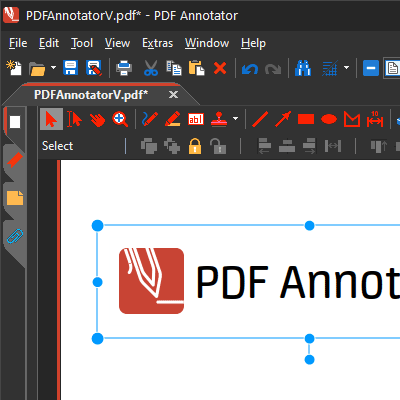
NEW! Color Modes - “Dark Mode”
- Choose between the usual bright color mode or the new dark color mode.
- Color mode affects the appearance of the application user interface. Your PDF documents will always display identically - as printed on white paper.
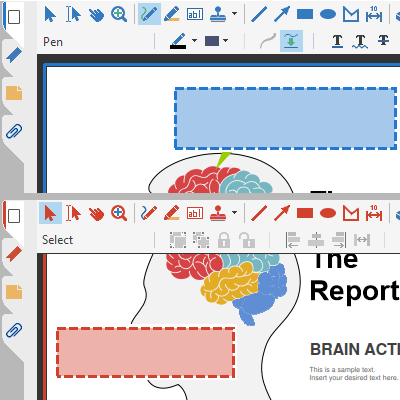
NEW! Accent Color
- Choose between the usual “red” accent color or the new “blue” accent color.
- For users with red green deficiency we recommend using the accent color “blue”.
- The accent color will be used in several places throughout the user interface, for example for tool symbols or for marking the currently selected page.
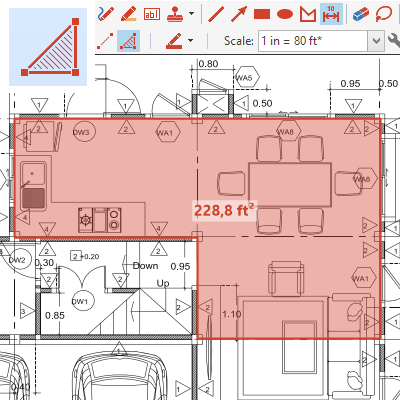
NEW! ”Area Dimensioning” Tool
- You can now also dimension areas.
- Area dimensions are annotations that become part of the PDF document (cf. “Measure”).
- Areas get marked up semitransparently.
- Text can be edited manually.
- Select a predefined or custom scale.
- Turn display of dimension unit on and off.
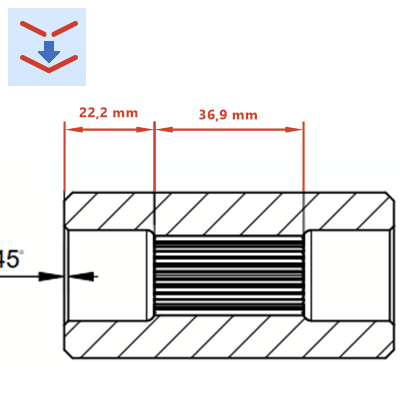
NEW! “Connect Lines” Feature
- ... to snap corner points to existing annotations.
- This feature is now available for lines, arrows, polygons, distance and area measures.
- Also, the corner points of polygons and points on ellipses/circles get identified as snap targets.
- Create dimensional chains using the distance dimension tool and “Connect Lines”.
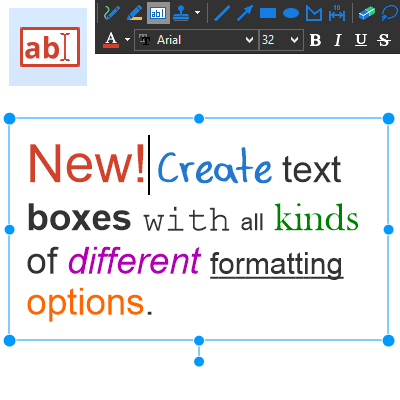
NEW! Individual Text Formatting
- You can now format parts of text annotations individually.
- For example, you can format individual words bold or in italics, underline or strike out phrases.
- Use different font types, -colors and -sizes within the same text annotation.
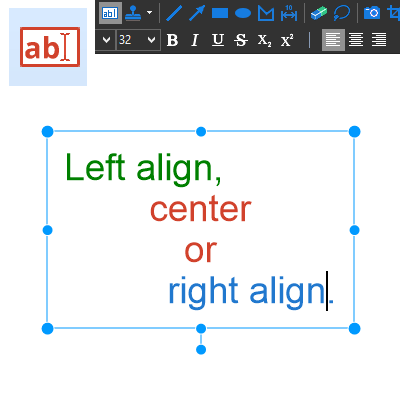
NEW! Individual Paragraph Formatting
- You can now set separate alignment options for paragraphs within the same text annotation:
- left aligned
- centered
- right aligned
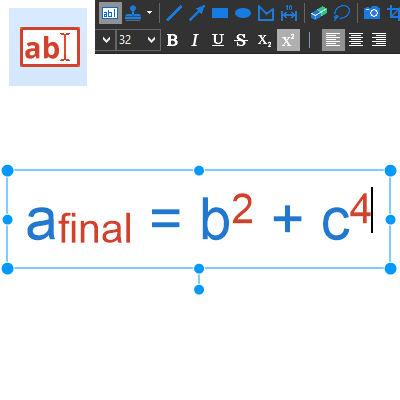
NEW! Superscript and Subscript Text
- You can now apply these new text styles to letters, numbers or text phrases:
- superscript
- subscript
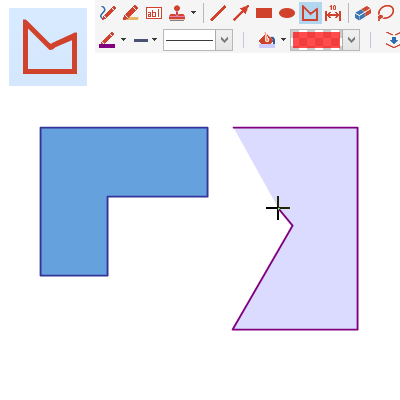
NEW! “Polygon” Tool
- Use the new Polygon tool to draw...
- closed polygons
- polylines
- ...with the support of the popular...
- “Connect Lines” and
- “Snap to 15° Angles” features.
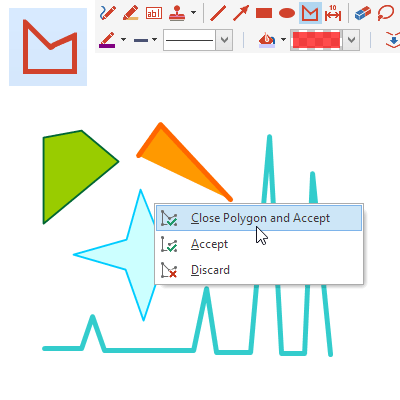
NEW! Open and Closed Polygons
- Polygons: Close a polygon by clicking the starting point or by choosing “Close Polygon and Accept”.
- Polylines: Finish an open polygon by choosing “Accept”.
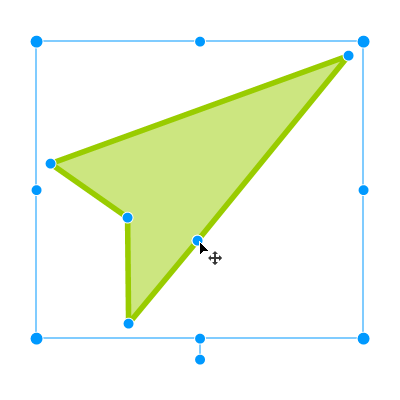
NEW! Moving Corner Points
- Easily move corner points to modify a selected annotation of these types
- Area dimension
- Polygon
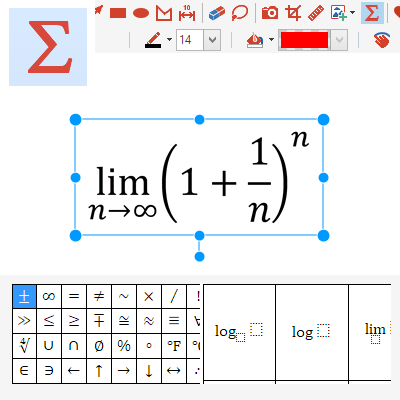
NEW! ”Formula” Tool
- Create and edit complex scientific formulas using our brand-new formula editor.
- Make use of a wide selection of predefined expressions and common symbols.
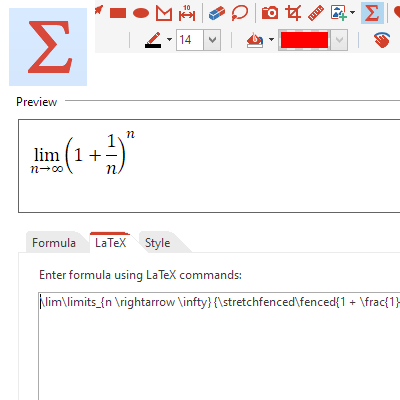
NEW! ”LaTex” Formula Editor
- As an experienced LaTeX user, you may edit the underlying LaTex commands directly to edit a formula.
- Share and exchange formulas using copy and paste from/to other LaTeX supporting editors.
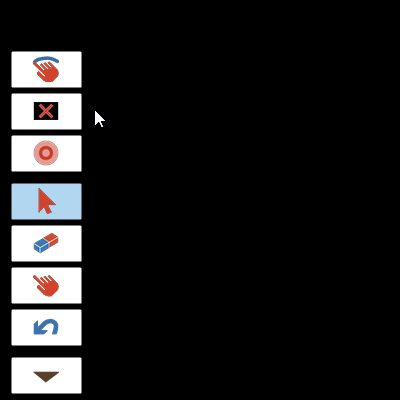
NEW! “Black Screen” for Presentations
- In Full Screen Mode, you can now temporarily turn the display completely black to ensure your audience’s full attention.
- Use the Full Screen Mode action button, or press Alt+B.
- Press any key, or click/tap with mouse, pen or finger to end the blackout.
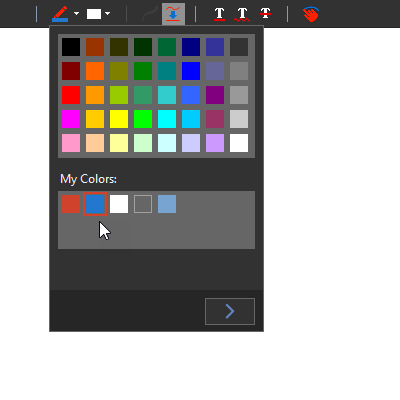
NEW! Improved Color Selection
- All color pickers (e.g. for selecting the pen color) have been revised and now contain...
- ...a palette of common colors,
- ...an additional palette for saving and reusing your own colors (“My Colors”).
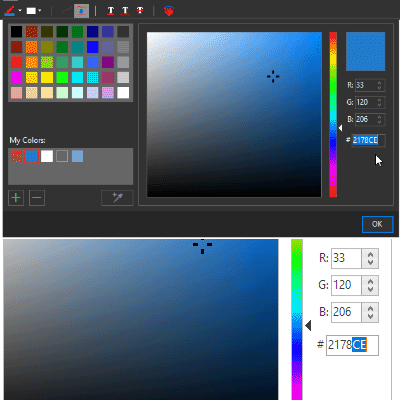
NEW! Enter/Copy RGB or HTML Color Values
- Expand the color picker window for an enhanced color picker with the ability to enter colors as RGB or HTML values (e.g. “#FF0000” for red).
- Here you can also copy or paste color values.
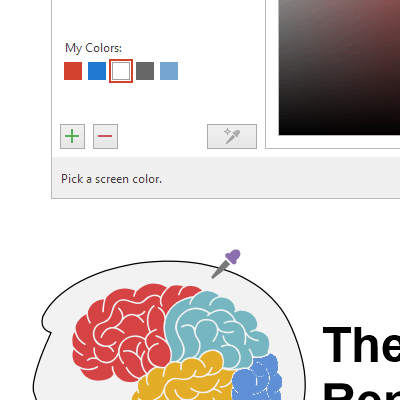
NEW! Extract Colors with the Pipette
- Use the “Pipette” tool in the expanded color picker window to extract colors...
- ...from the currently visible part of the document, or
- ...from any point on the current monitor.
NEW! And more...
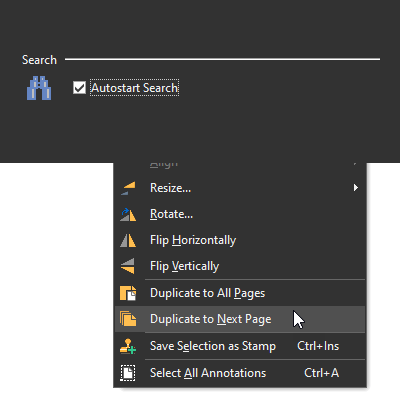
- “Autostart Search” setting: You can now disable the automatic start of the text search while entering a search phrase.
- Duplicate Selection to Next Page: Like the existing “Duplicate to All Pages” feature, you can now as well duplicate a selection only to the next page.
Read On: What was New in PDF Annotator 8

PDF Annotator 64-bit
- As a true 64-bit application, PDF Annotator can now access significantly more memory on 64-bit systems.
- Enables loading larger files, and editing more documents at the same time, than with the 32-bit version.
- Setup will automatically install the correct version for your operating system.
Select and Edit Annotations
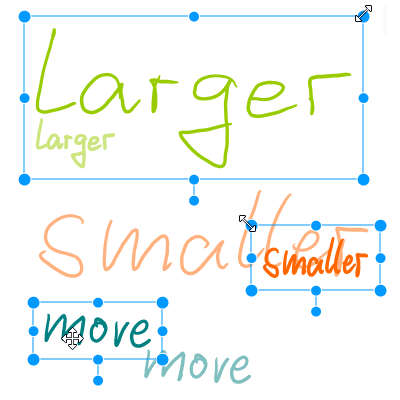
- While moving, resizing or rotating annotations, all changes display immediately.
- Enables exact annotation placement.
- Larger appearance of selection rectangles and size grips on high resolution displays.
Dimension Tool
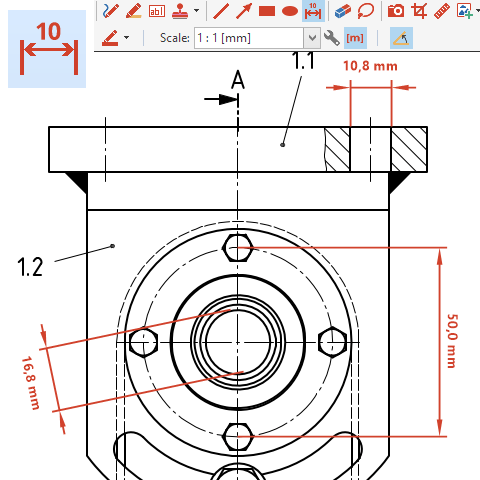
- Dimensions are annotations that become part of the PDF document (cf. the Measure tool).
- Dimensions consist of extension lines, dimension line, and editable dimension text.
- Select a predefined or custom scale.
- Turn display of dimension unit on and off.
Rotate Annotations
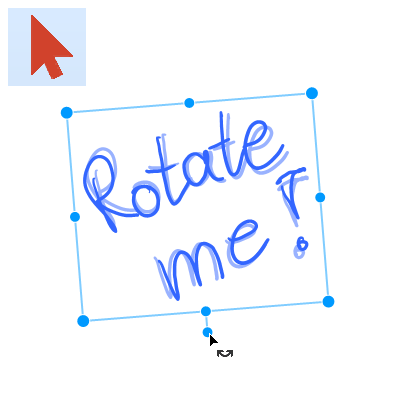
- Rotate annotations using the new rotation grip directly within the document.
- Rotate snaps to 15° steps while CTRL key is pressed.
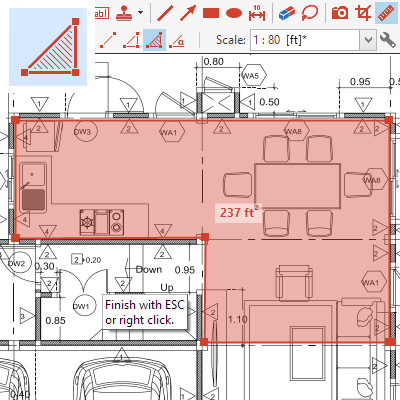
Measure Tool
- Measure tool to extract measures from PDF documents:
- Improved appearance of measured distances and areas.
- Measure results stand out better with large and clear display directly within the document (instead of small hint windows).
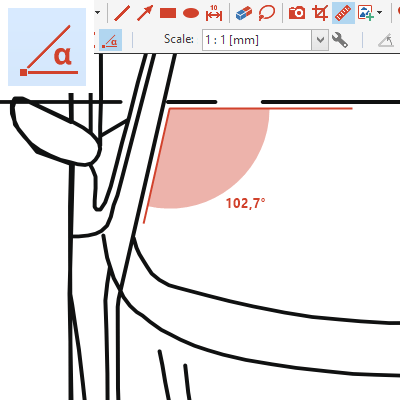
Measure Angles
- Now you can measure:
- Distances
- Perimeters (traverses)
- Areas
- Angles
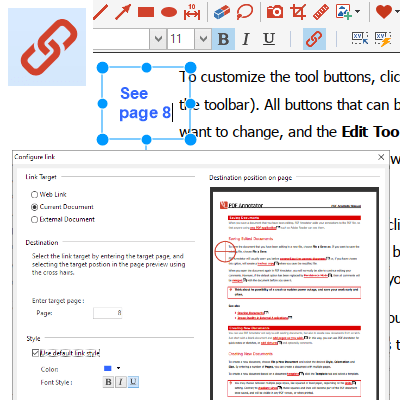
Create Links
- Links are text annotations that, when clicked, jump to:
- a web URL,
- a specific position (page) in the current document, or
- an external document.
- Define link text styles (e.g. blue, underline) directly within the Configure Link window.
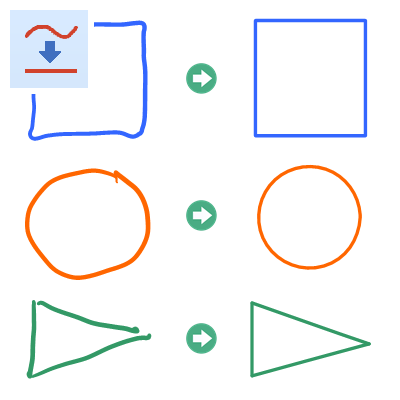
Intelligent Auto-Smooth
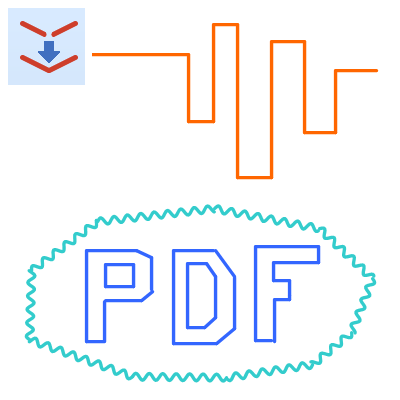
- Extended functionality for the Auto-Smooth feature available for pen and marker tools:
- Intelligent geometric object recognition (rectangles, squares, circles).
- Start and end points will automatically snap to, or be moved towards existing lines.
- Automatically closes circular lines by moving the end points to the start points.
Intelligent Auto Connect
- New Connect Lines feature now available for line and arrow tools:
- Start and end points will automatically snap to, or be moved towards existing lines.
Laser Pointer Tool for Presentations
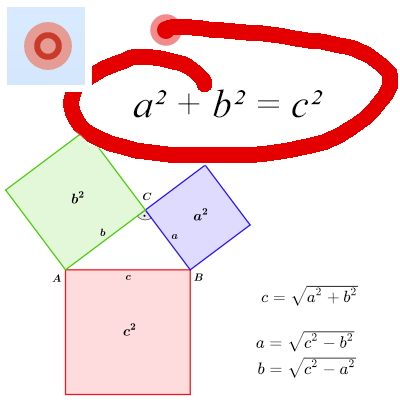
- The laser pointer is a large red circle that can easily be located even from a distance.
- Activate via “Tool, Laser Pointer” or by pressing the letter “o” key.
- Back to previously used tool with ESC key.
- Draw temporarily with the laser pointer: After lifting the pen (or releasing the mouse button), the drawn mark-up disappears.
Extract Text
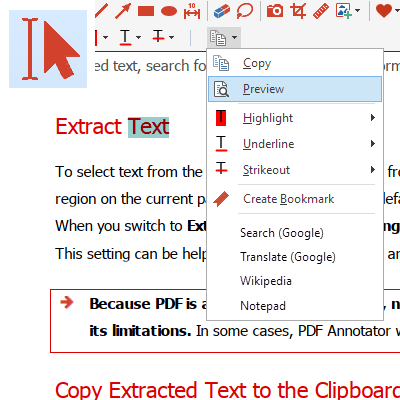
- When using the Extract Text feature, after selecting some text, the context menu won’t open automatically any more.
- Now, just click “Edit, Copy” or press CTRL+C to copy the selected text to the clipboard.
- All features previously available on the context menu are now accessible directly from the toolbar above the document.
Move Bookmarks with Drag’n’Drop
- In the sidebar:
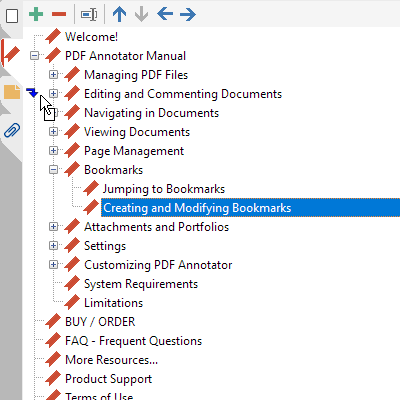
- Move bookmarks with the mouse using drag’n’drop.
- The destination position will be outlined exactly.
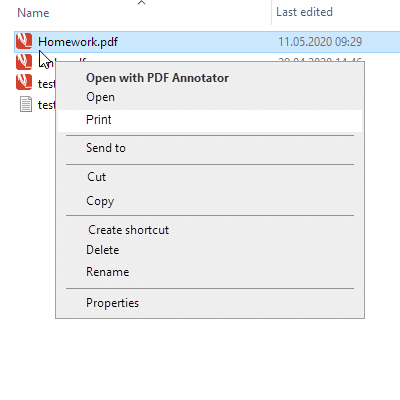
“Print” Command on Explorer Menus
- If PDF Annotator has been set up as the default application for PDF files, the Windows Explorer context menu will now include a “Print” command.
- Print PDF files without having to open them in PDF Annotator first.
- Print just one, or multiple documents at once.
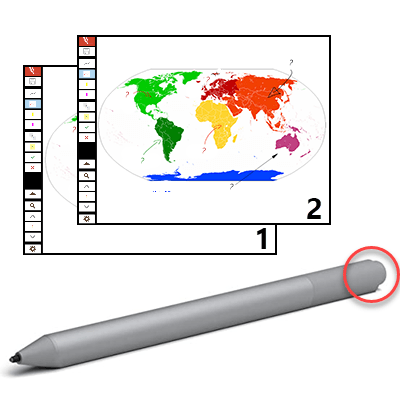
Use your Pen as a Clicker
- In full screen presentations, press the button at the end of the pen to advance to the next page.
- Single click: Advance to next page.
- Press and hold: Back to previous page.
- Requirements: 3rd Gen Microsoft Surface Pen, Windows 11/10.
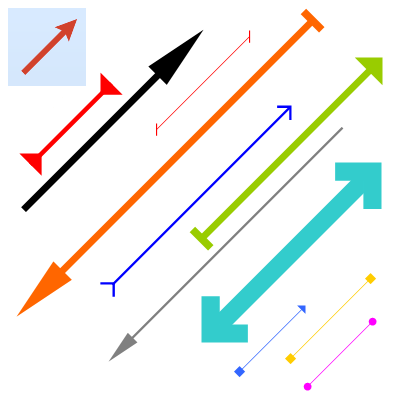
Arrow Appearance
- Arrowheads now draw with sharp edges (vs. round edges in previous versions).
- Reference points of all arrowheads have been corrected to point exactly to the tip/end.
- Arrowheads now draw in a size well-balanced to the line width.
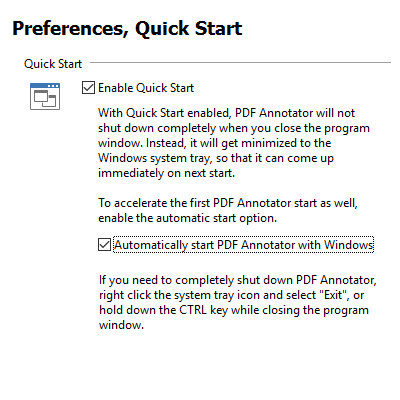
Accelerated App Start
- The application startup time has been further reduced.
- On new installations, the Quick Start option now gets enabled automatically.
- You can also enable the “Start with Windows” option under “Extras, Settings, Preferences, Quick Start”.
And more...
- Faster text search.
- Improved text cursor appearance (especially on high resolution displays).
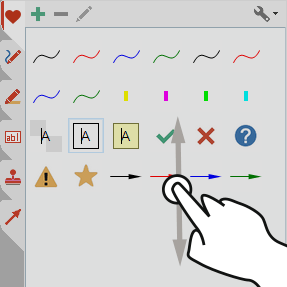
- Scroll the toolbox with your finger.
Read On: What was New in PDF Annotator 7
PDF Templates
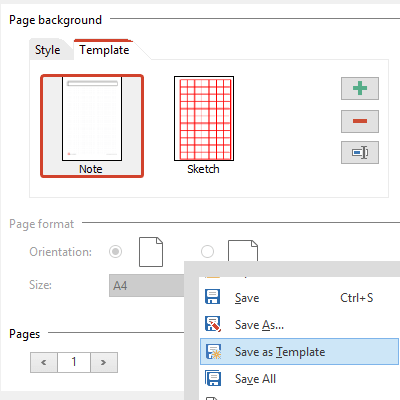
- Select a template when creating new documents using "File, New"
- Add, remove, rename templates
- Save current document as template
- Automatic use of same template when adding additional pages
Images to PDF
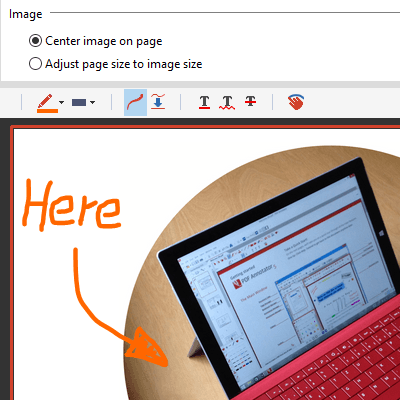
- Select image files instead of PDF files under "File, Open"
- Center image on a blank new PDF document, or
- Automatically convert to a single page PDF
Measure Tool
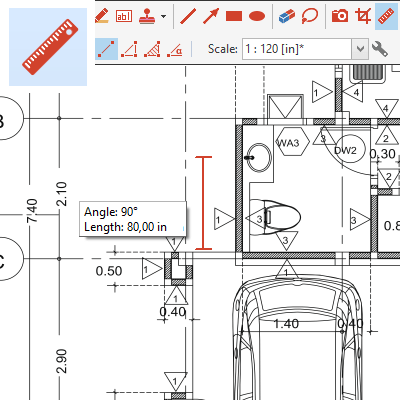
- Measure distance, perimeter or area
- Select scale to automatically convert and output in correct units
- User defined list of scales
- Create a scale based on a known dimension in a document
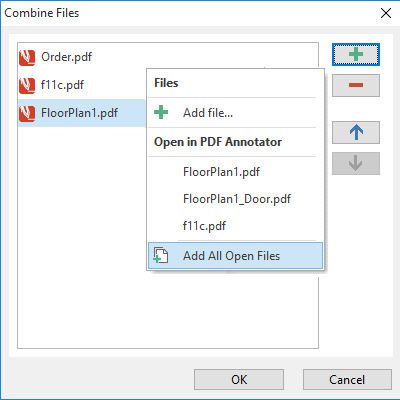
Combine PDF Files
- Select multiple PDF documents to combine (merge) to one single PDF
- Choose from list of open documents
- Order documents before combining
Quick Start
- Option to reduce wait time while application starts
- Keeps application open by minimizing it to the Windows system tray when program window gets closed
- Option to start application automatically with Windows to reduce wait time on first start
- Program icon in Windows system tray with option to shut down application
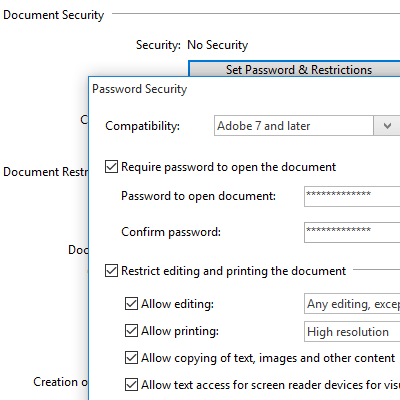
PDF Security
- Set password and restrictions
- Require password to open document
- Set permissions to edit, print or copy content
- Set password to edit permissions
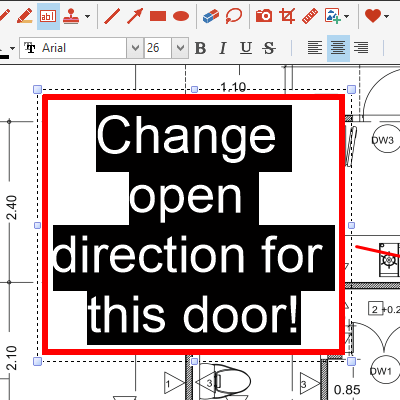
Text Tool
- New text alignment options for text boxes:
- left-align
- center
- right-align
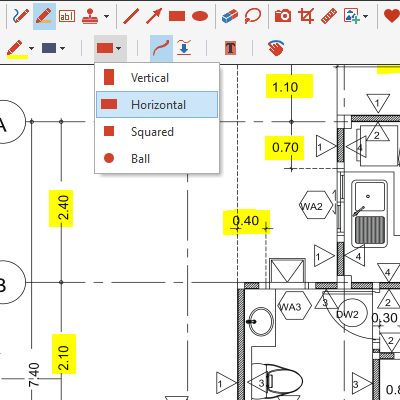
Text Marker Tips
- Select shape of tip:
- rectangular vertical (default)
- rectangular horizontal
- square
- ball
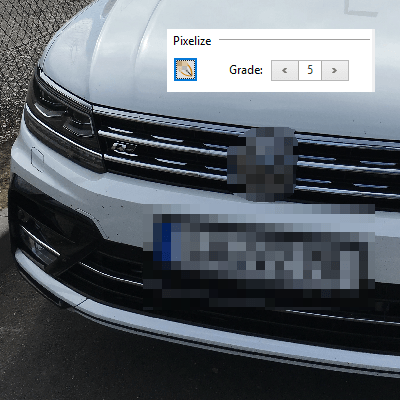
Image Editor: Pixelize
- Obfuscate areas within images
- Pixelize faces, license plates, sensible data in images
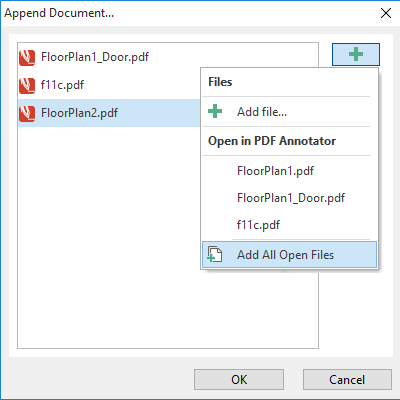
Append Multiple Documents
- Select multiple PDF documents using "Insert Document" or "Append Document" commands
- Choose from list of open documents
- Order documents before appending
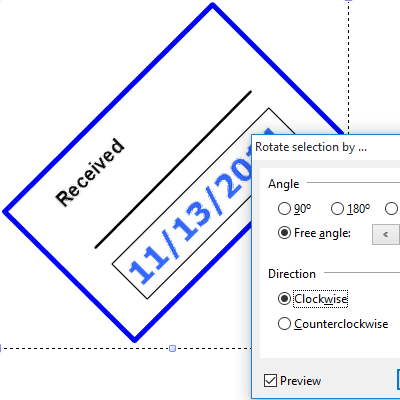
Rotate Annotations
- Preview while rotating objects via Rotate dialog
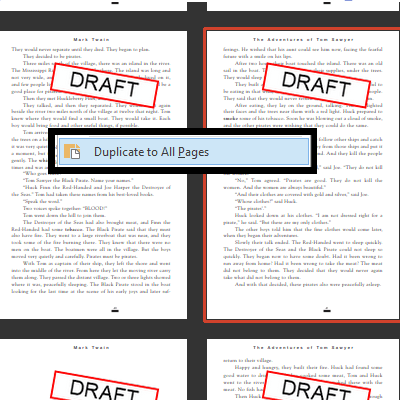
Duplicate Annotations
- New "Selection, Duplicate to all pages" command
- Stamp all pages
- Transfer a single annotation to all pages
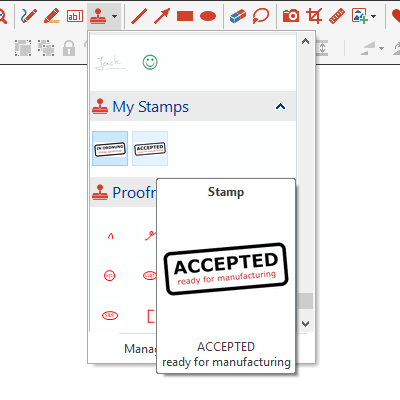
Stamp Preview
- Larger stamp preview when hovering over a stamp in the toolbox
- Makes it easier to differentiate large stamps and text stamps
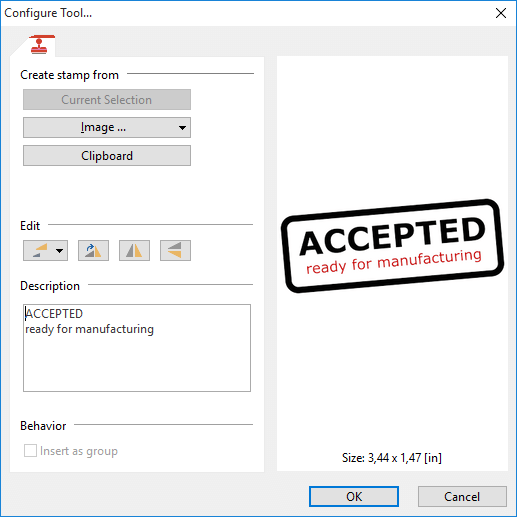
Edit Stamps
- New Edit commands for stamps, right from the Configure Tool dialog:
- Resize Stamp
- Rotate Stamp
- Mirror Stamp
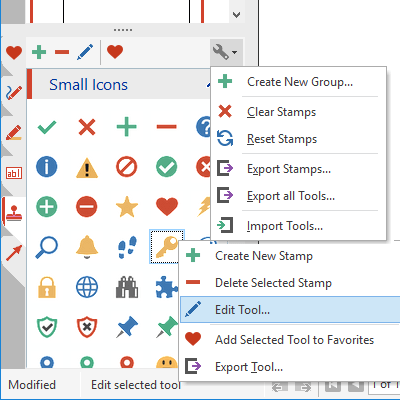
Toolbox Menus
- Improved and more intuitive context menus
- Edit and group tools
- Export and import tools and stamps
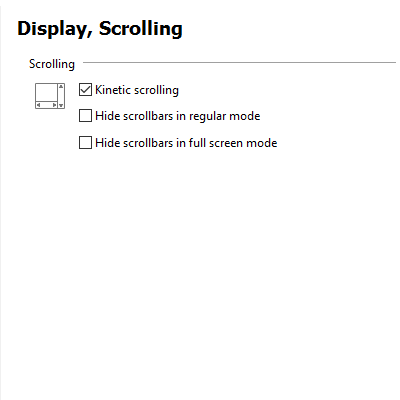
Hide Scrollbars
- Separate settings to hide scrollbars in ...
- ... regular mode
- ... full screen mode
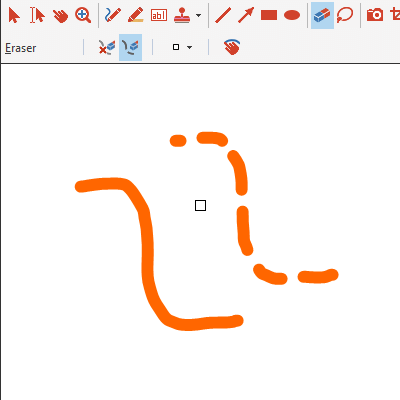
Eraser Modes
- Select between two modes:
- Erase whole annotation/stroke (default)
- Split stroke
- Custom eraser widths
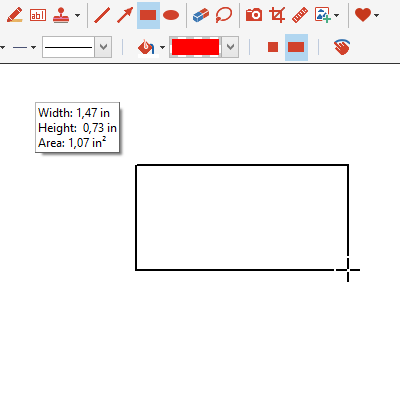
And more...
- Display current length while drawing with line and arrow tools, dimensions and area using rectangle and circle tools
- Undo page deletions
- Separate commands for "Insert Image from Camera" (for use with custom toolbar buttons or keyboard shortcuts)
- Snap: Automatically adapt lines in 15° steps
Read On: What was New in PDF Annotator 6
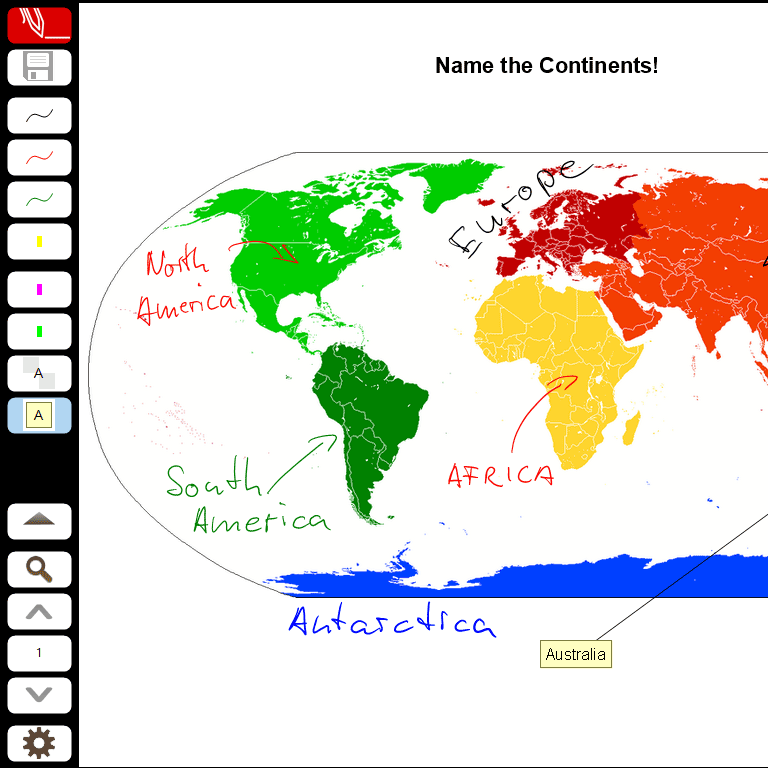
Completely Redesigned Full Screen Mode
- We have redesigned Full Screen Mode, especially for presentations, and to make best use of screen estate.
- Full Screen Mode now has one single, but fully configurable toolbar.
- Automatically adapts to screen orientation
- 24 customizable favorite tool buttons
- 16 customizable action buttons
- Additional navigation buttons
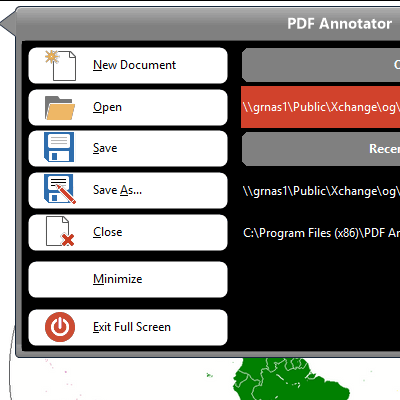
Full Screen Menu & Sidebar
- Open & save documents
- Switch between multiple open documents
- Open most recently used documents
- Sidebar with page previews, access to document and page editing commands, and bookmarks
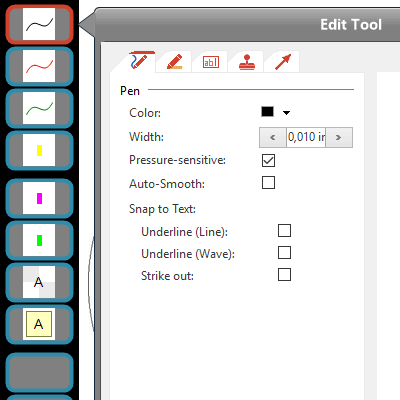
Full Screen Customization
- Customize all tool and action buttons via the customization button.
- Right click customization button for more options.
- Quick customization option (after 2nd click on already selected tool).
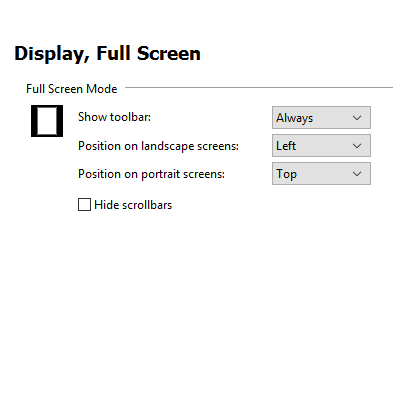
Full Screen Options
- Display the new full screen toolbar either permanently, or display a flap which will bring up the toolbar temporarily after clicking on it.
- Select a preferred toolbar position (left/right, top/bottom)
- Scale button sizes from 50% to 150% (for smaller and more, or larger and less buttons)
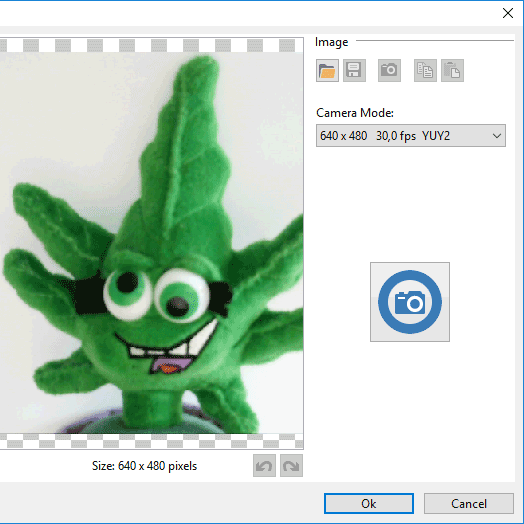
Capture from Camera
- Capture photos from any internal or external (USB) camera
- We support all kinds of tablet cameras, web cams, and document cameras.
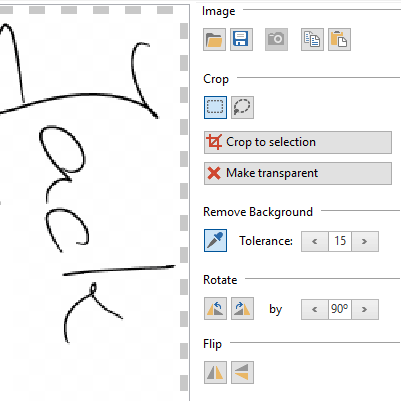
Image Editor
- New image editor to apply basic editing to inserted or captured images
- Crop images (rectangular, with lasso)
- Make selection transparent
- Make transparent based on color (e.g. to crop signatures)
- Rotate & flip images
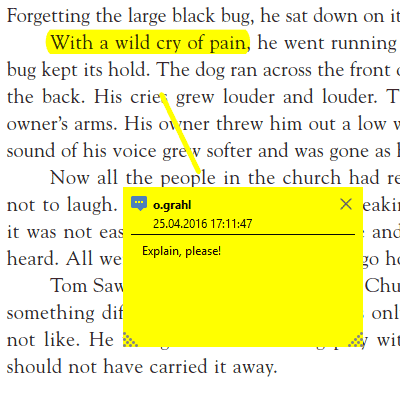
Display 3rd Party Annotations
- PDF Annotator now also displays PDF annotations created in 3rd party PDF programs.
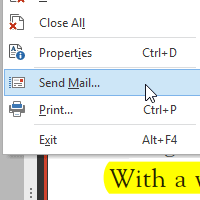
Send Email
- Send current document as email attachment without saving it first (requires a MAPI enabled email client being set up locally).
- We will now set a useful default for the email subject.
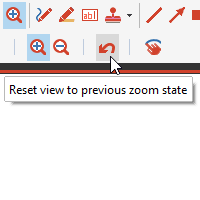
Zoom History
- Quickly zoom in to view a detail and get back to your previous view with a single click
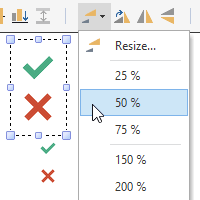
Resize Options
- Quick resize with default options (50%, 200%, ...)
- Percentual resize
- New Maintain Aspect Ratio option
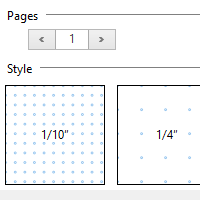
Additional Page Backgrounds & Sizes
- Light blue lines/squares
- 1/16", 1/8", 1/5" squares
- Point grids
- Size pages in typical screen sizes for screen presentations (3:2, 4:3, 16:9, 16:10 ratios)
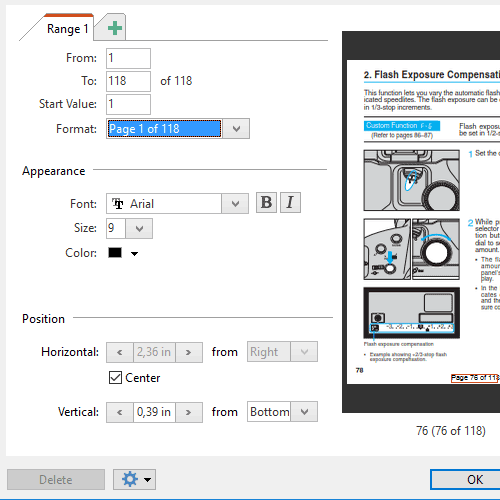
Page Numbers
- Additional page numbering formats
- Bold and italic font settings
- Save current settings as default
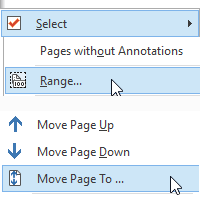
Select & Move Pages
- Select a range of pages by entering page numbers (e.g. 1-3,5)
- New Move Page to... command to move pages to a target page number instead of dragging them with the mouse.
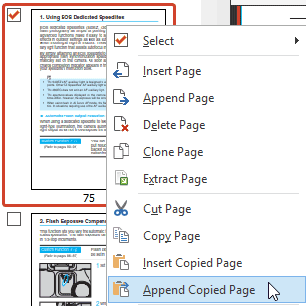
Insert or Append Copied Pages
- Paste copied/cut pages above current page (insert)
- or behind current page (append)
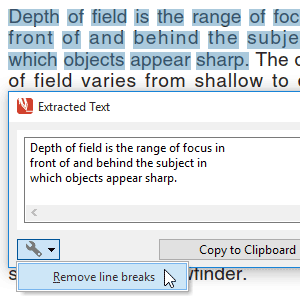
Extract Text Tools
- Remove line breaks from copied text with new option available on the Extracted Text Preview
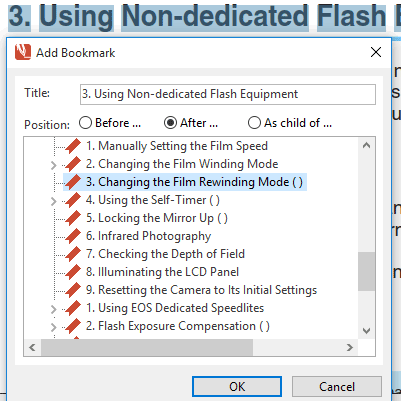
Create Bookmarks from Text
- Create a bookmark directly from selected text
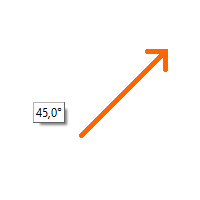
Graphical Tool Helpers
- Keep CTRL key pressed to create object from its center
- We now display the current angle in a tooltip.
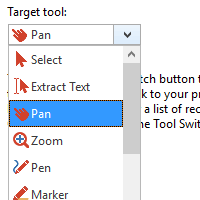
Configurable Tool Switch
- Configure the target tool for the tool switch.
- Default is Pan tool.
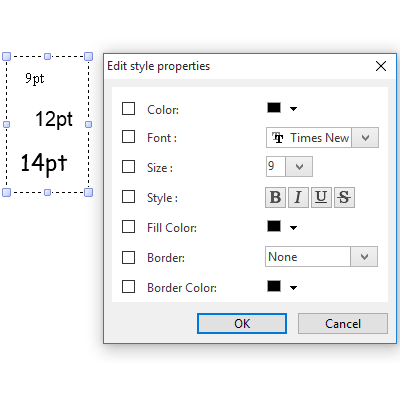
Edit Font Styles
- You can now also bulk edit font settings for multiple text annotations.
And more...
- Configurable document tab width
- Additional keyboard shortcuts
- More placeholders for text extract actions
- Additional file attachment information
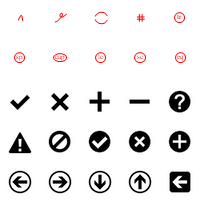
- New stamps: Small proofread symbols
- Kinetic scrolling
Read On: What was New in PDF Annotator 5
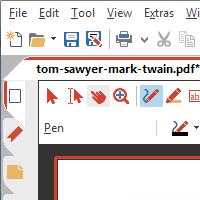
New, Modern Look-and-Feel
- New, clear color scheme and symbols
- Optimised for high resolution screens (high DPI)
- Automatic switch to large icons on high resolution screens
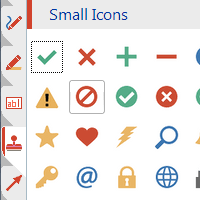
Stamp Symbols
- New, huge selection of modern symbols and arrows as stamps
- Two sizes
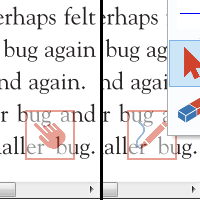
Tool Switch
- Button on the bottom right, hovering over the document
- Single click (or tap):
Switches to Pan tool - Another single click (or tap):
Switches back to previously used tool - Right click (or long tap):
Opens a menu with recently used tools - Customizable to be visible in regular and/or full screen mode; can be moved around.
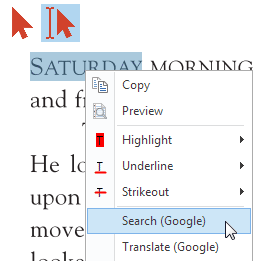
Select Text Actions
- After text selection in the original PDF content:
- New menu with Copy, Preview, Search, Translate (and more) options
- Immediately mark-up selected text with highlighter
- Underline or strike-through
- Define your own actions (program calls, URLs)
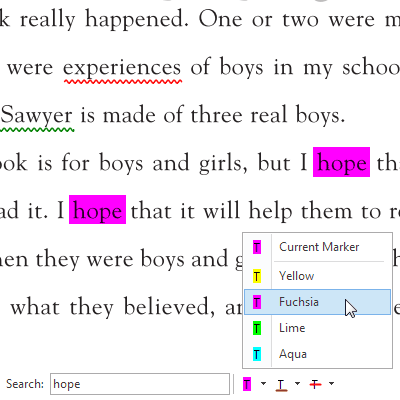
Convert Search Hits into Annotations
- Immediately mark-up search hits with highlighter
- Underline or strike-through
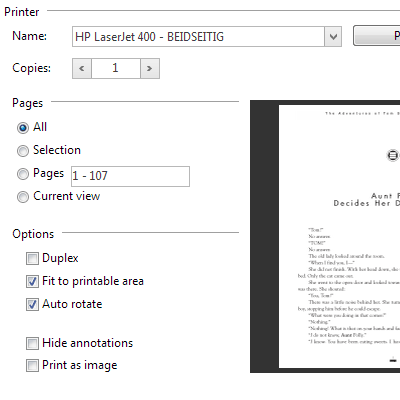
Extended Print Features
- New Print dialog with page preview
- Print current view
- Duplex print
- Automatically rotate pages
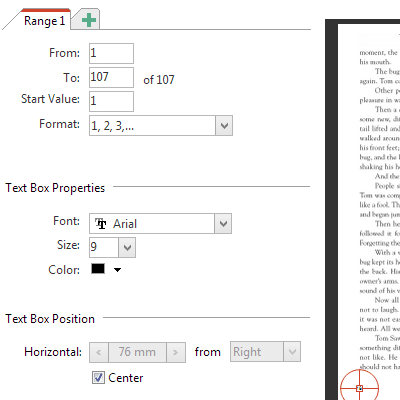
Page Numbers
- Automatic page numbering
- Detailed positioning options for page numbers
- Multiple numbering sections possible
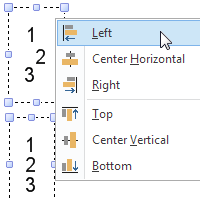
Align and Resize
- Align a selection of annotations
- Resize a selection of annotations
PDF Portfolios
- Open and manage PDF Portfolios
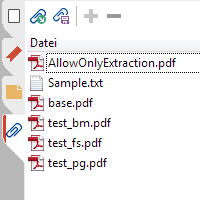
File Attachments
- Overview on all embedded file attachments
- Add or remove attachments
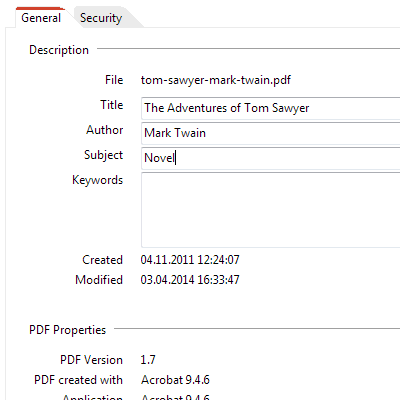
Document Properties
- View and (partially) modify PDF document properties
- Common properties
- PDF properties
- Security settings
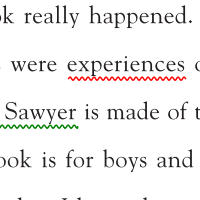
Wavy Lines
- New line style for the line tool
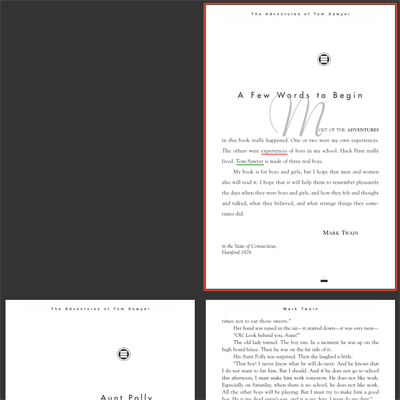
Separate Cover Page
- Display first page separately in two pages view (facing pages)
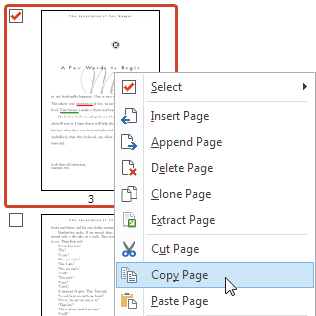
Copy and Paste Pages
- Copy single (or multiple) pages from the Page Manager.
- Paste them into the same or a different open document.
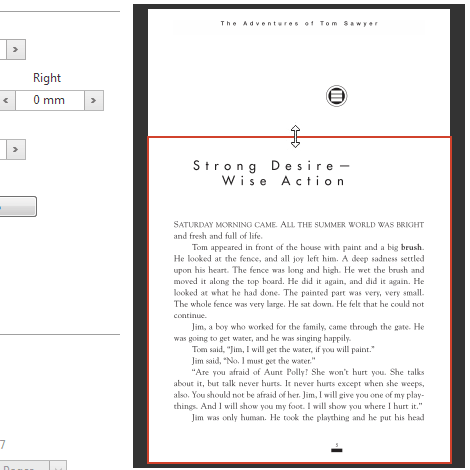
Crop Pages, Add Margins
- New page preview with the ability to move or resize the page area within the preview
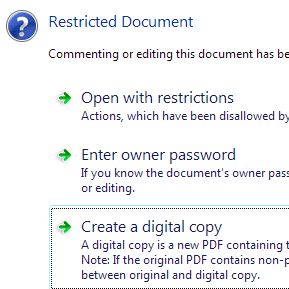
Digital Copy
- Digital copy for restricted documents
- Helps when document does not allow commenting, or author password is unknown.
- howto/open_protected_document

Scroll / Draw with Touch
- On touch devices, the finger will now scroll the document.
- To draw with the finger, enable the new "Draw with touch" option on the tool properties toolbar
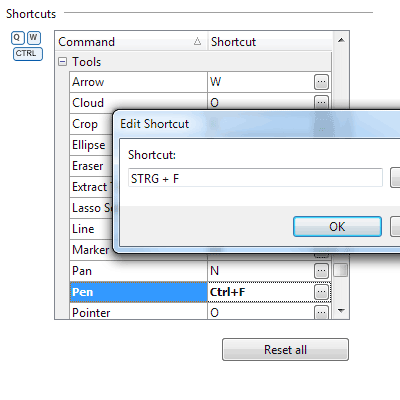
Keyboard Shortcuts
- Configurable keyboard shortcuts for all commands
- Use your own shortcuts instead of the defaults.
- Define shortcuts for commands that don't come with a default shortcut.
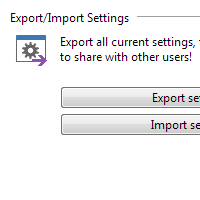
Export/Import Settings
- Export and import all settings including stamps
- Optimal for moving to a new computer, or synchronizing settings on multiple installations
And more...
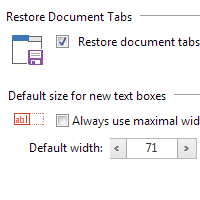
- Restore document tabs from last session on next start
- Set border color for text boxes
- Default text box width setting
- Improvements when handling semitransparent images and objects
- More efficient way to save annotations within the PDF
Read On: What was New in PDF Annotator 4
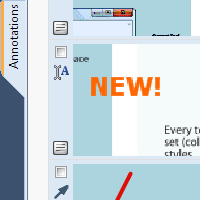
Annotation Manager in the Sidebar
- Get a quick overview of all annotations in a document.
- Navigate to any annotations quickly.
- Perform operations on any selection of annotations.
Filter Annotations
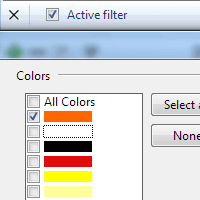
- Only display a filtered subset of your annotations in the new Annotations sidebar.
- Filter by type, color, or page number.
Print Annotations Overviews
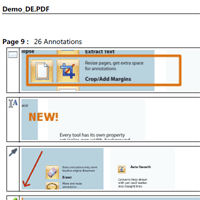
- Print a detailed list with small previews of every single annotation in a document.
- Print an overview only outlining the pages containing annotations.
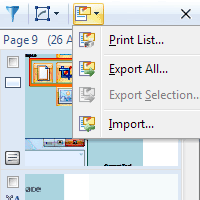
Export/Import Annotations
- Export any selection of annotations.
- Reimport those annotations into a different document.
- Or reimport annotations into a new version of the original document.
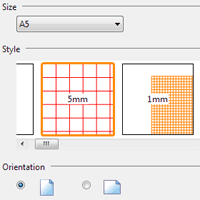
Page Backgrounds
- Select between various lined or squared papers for new documents or pages.
- Additional pages will automatically use the right background.
- Background lines will be saved into your document.
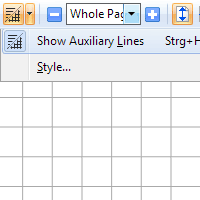
Auxiliary Lines
- Display temporary lines to make writing on documents easier.
- Select between a wide range of possible line styles.
- These lines will not be saved into your document.
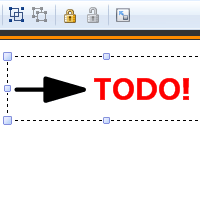
Group and Lock Annotations
- Group annotations to keep them always together.
- Lock annotations to avoid unwanted modifications or to avoid moving them.
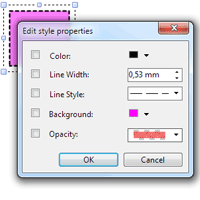
Edit Style Properties
- Edit any style properties of existing annotations, i.e. colors, line widths or styles.
- Edit styles of multiple annotations at once.
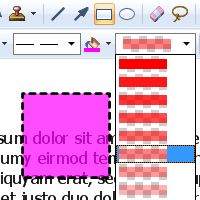
Semi Transparency
- Select semi transparency level.
- For Rectangle (Square) and Ellipse (Circle) tools.
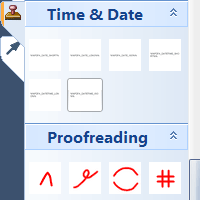
Tool Groups
- Group your stamps in the Toolbox.
- Exchange stamps through the new export/import.
- We have also added a number of new default stamps for you.
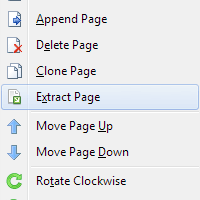
And more...
- Extract pages into a new document.
- Move bookmarks.
- Automatically minimize text box size after editing.
- Set DPI for snapshots.
- Automatic backups.
- Full Unicode support.
- Switch between languages.
- Many minor improvements
Read On: What was New in PDF Annotator 3
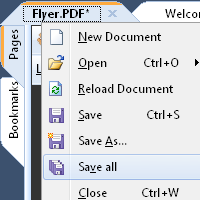
Multi Document Capabilities
- Work within multiple documents
- Switch between documents with a single click
- Configurable documents tab bar
- Document tabs support the new Windows 7 taskbar
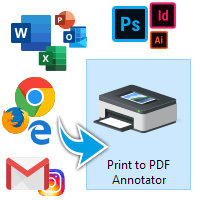
Print to PDF Annotator
- Create PDF documents from within any application and annotate them directly in PDF Annotator
- Simply print your documents from any application by selecting our new virtual PDF printer "Print to PDF Annotator"
- Printer driver supports Windows 8, Windows 7, Vista and XP, both 32-bit and 64-bit
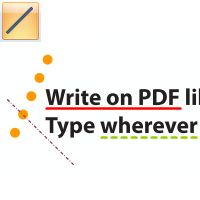
Line Tool
- Draw straight lines
- Different line styles
- Snap to 45° angles option
- Full favorites and toolbox support -
Create your own line tools
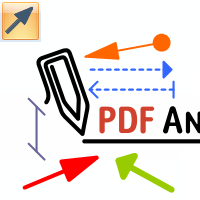
Arrow Tool
- Draw arrows
- Different styles for arrowhead and tail
- Line styles
- Snap to 45° angles option
- Full favorites and toolbox support -
Create your own arrow tools
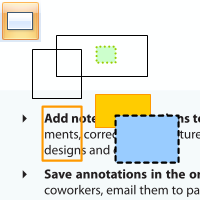
Rectangle Tool
- Draw rectangles or squares
- Transparent or filled
- Different line styles
- Full favorites and toolbox support -
Create your own rectangle tools
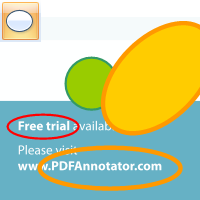
Ellipse Tool
- Draw ellipes or circles
- Transparent or filled
- Line styles
- Full favorites and toolbox support -
Create your own circle tools
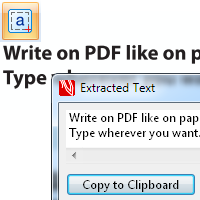
Extract Text
- Copy text from the original document
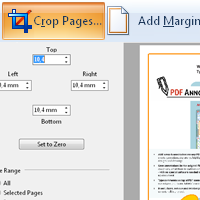
Crop Pages, Add Margins
- Crop page sizes
- Add margins to get extra space for annotations
- Crop on the fly by selecting a region
- Selected pages or whole document
Zoom Tool
- Zoom in and out by selecting a region
- Multi-touch zoom gesture support
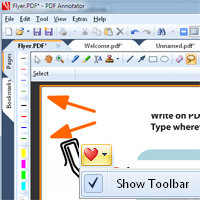
New Toolbar Concept
- All editing tools within document area
- Only related tool properties shown
- Vertical Favorite Tools toolbar now optional
- New Windows 7 style look and feel
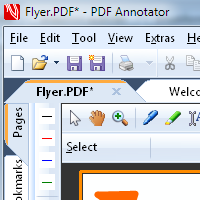
Large Icons and Touch Support
- Full support for large toolbar icons
- Recommended for touch input
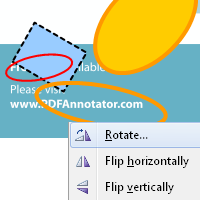
Rotate and Flip Annotations
- Rotate selected annotations in 90° steps or by free angle
- Flip selection vertically or horizontally
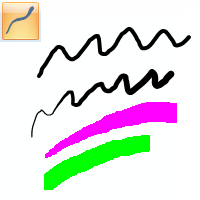
And more...
- Optionally deactivate pressure-sensitivity for pen and marker (hardware needs to support pressure-sensitivity)
- Multi-touch rotate gesture rotates pages
- Improved file locking
- Many minor improvements
Read On: What was New in PDF Annotator 2
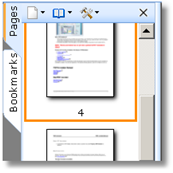
Page Manager
- Page thumbnails
- Move, clone, rotate pages
- Multi-select support
- Insert document
- Always visible in new sizeable sidebar
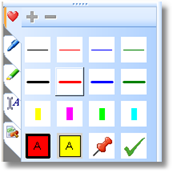
Toolbox
- Predefined tools (pens, markers, text boxes, stamps)
- Fully customizable: Add, move, delete tools
- Favorites (mirrors favorite tools in main toolbar)
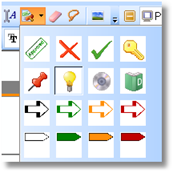
Stamps
- Stamp tool to stamp multiple times
- Save any selection to a stamp (like previous Macros)
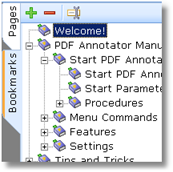
Bookmark Manager
- Create, delete and rename bookmarks
- Always visible in new sidebar
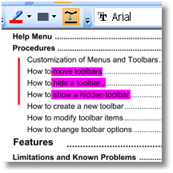
Auto-Smooth
- Flatten vertical and horizontal free hand lines
- Snap to 90°
- Separate setting for pen and marker
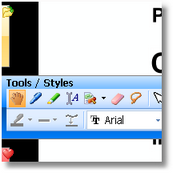
Full Screen Mode
- Customizable fly-in toolbars
- All view styles accessible
- More in detail improvements
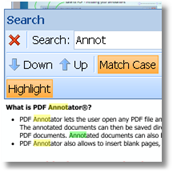
Text Search
- Highlight current/all search results
- Floating search bar with automatic incremental search
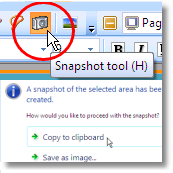
Snapshot Tool
- Take snapshots of any area on the document
- Copy snapshots to clipboard
- Paste to same document, blank page, other document, or 3rd party application
- Save snapshots as image files
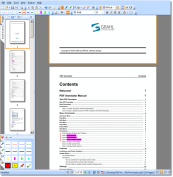
Continuous View
- Seamlessly scroll through the whole document
- One or two page alignment
- New view styles

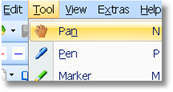
Pan Mode
- Pan (hand) tool

Page Navigation
- Deviant Page Numbers
- History (Back, Forward)
Menu/Toolbars
- Fresh new look and feel
- Improved command structure
- Lock all toolbars
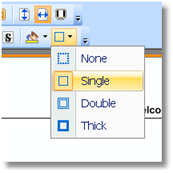
Text Box Styles
- Custom background colors
- Custom border styles
And more...
- New crystal clear, fast rendering engine!